Best Scheduling Software for Contractors 2026
House Escort Team
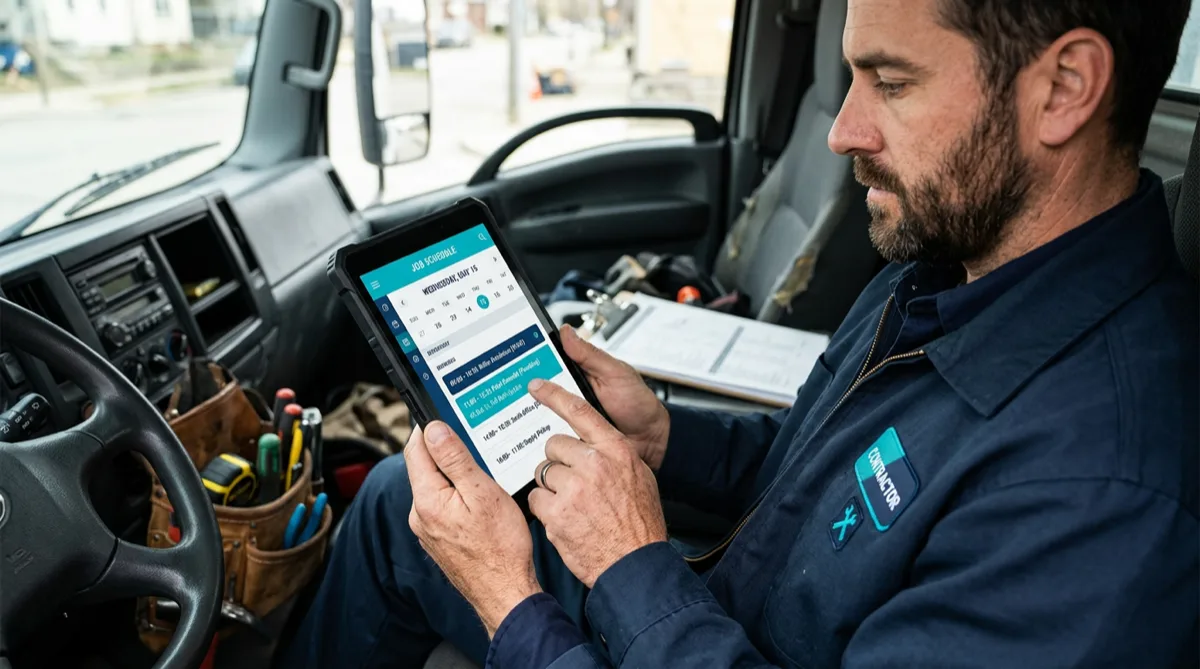
Double-booked jobs, forgotten follow-ups, and technicians showing up without the right information — these problems eat into your revenue and reputation. The right scheduling software turns job management from a daily scramble into a predictable system.
This guide covers the best contractor scheduling tools in 2026, from free options for solo operators to full-featured platforms for growing crews.
What Scheduling Software Does (and What It Can’t)
Scheduling software manages when and where your team works — appointments, job assignments, routes, and job status tracking. The best tools also handle job notes, customer communication (reminders, confirmations), and time tracking.
What it can’t replace: strong workmanship, competitive pricing, and the trust that comes from showing up when you say you will. Software amplifies what you’re already good at — it doesn’t fix fundamental business problems.
Related: Best CRM Software for Contractors 2026
Top Contractor Scheduling Software 2026
Jobber
Best for: Full scheduling + CRM in one platform
Jobber’s scheduling module is among the most polished for residential contractors. The drag-and-drop calendar, route mapping, and client portal make it a full operations platform, not just a scheduler.
Scheduling features:
- Drag-and-drop job board
- Technician time tracking via mobile app
- Customer appointment reminders via text and email
- Route optimization for multi-stop days
- Job status updates synced between office and field
Price: $169–$349/month (includes full CRM, not just scheduling)
Workiz
Best for: Phone-first operations
Workiz is built around phone call tracking and scheduling — ideal for businesses that generate most leads by phone. Unique feature: built-in VoIP phone system that logs all calls and links them to jobs automatically.
Scheduling features:
- Visual dispatch board
- Two-way SMS with customers
- Phone call recordings linked to job records
- Technician GPS tracking
- Online booking for some plans
Price: Free plan (limited), paid plans from $65/month
Google Calendar + Sheets (Free Tier)
Best for: Solo operators, budget-conscious startups
For contractors doing fewer than 10 jobs per week, Google Calendar and a simple Google Sheets job log cover the basics for free. Set up a color-coded calendar (one color per job type), share with any helpers, and maintain a Sheets log with client name, address, job type, payment status.
Limitations: No automated customer reminders, no route optimization, no job cost tracking. Works until you need to scale.
ServiceTitan Dispatch
Best for: Large multi-truck operations (10+ techs)
ServiceTitan’s dispatch board is the most powerful available — real-time technician tracking, optimized route assignments, and deep integration with estimating, invoicing, and customer history. The barrier: it’s expensive and complex.
Price: $400–$800+/month for small-to-mid businesses
Field Pulse
Best for: General contractors managing subcontractors
Field Pulse includes a scheduling module with sub-contractor job assignment and communication tools — useful if you regularly coordinate multiple trade subs on the same job.
Price: ~$99/month (core), scales with users
Dispatcher
Best for: Landscaping and cleaning crews on a budget
Dispatcher offers a clean drag-and-drop scheduling board with route optimization and customer notifications at a lower price point than the major platforms.
Price: Free tier available; paid from ~$39/month
What to Look for When Choosing
Mobile app quality: Your techs are in the field, not at a desk. If the mobile app is slow or awkward, they won’t use it. Test the mobile app specifically during your trial — not just the desktop dashboard.
Customer communication: Automated appointment reminders reduce no-shows by 20–40% according to field service research. Confirm the platform sends reminders via both text and email, and that you can customize the message.
Integration with your invoicing: Scheduling and invoicing in the same platform eliminates double data entry. If you keep your invoicing in QuickBooks or another separate tool, confirm the scheduling software syncs job data cleanly.
Route optimization: If you run multiple jobs in a day or cover a broad geographic area, built-in route optimization saves driving time and fuel costs. Not all schedulers include this at base price.
Pricing transparency: Some platforms advertise low entry prices but gate essential features behind higher tiers. Make sure the features you actually need (automated reminders, mobile app, route maps) are included in the plan you’re evaluating.
Recommendation by Business Stage
| Stage | Pick | Why |
|---|---|---|
| Solo, just starting | Google Calendar + Workiz Free | Zero cost, covers basics |
| Solo to 3 techs | Jobber Core or Workiz paid | Affordable, clean UX, customer reminders |
| 3–8 techs | Jobber Connect or Housecall Pro | Scheduling + CRM + automations |
| 8+ techs | ServiceTitan or Housecall Pro MAX | Deep dispatch and reporting |
Most platforms offer 14-day free trials. Run a real week of jobs through the trial before committing — that’s the only honest test of whether the workflow matches how you actually operate.
Beyond software, growing your client base matters more than any tool. Join House Escort to connect with homeowners actively looking to hire — with no commission taken from your earnings.
Frequently Asked Questions
What is the best scheduling software for small contractors?
Jobber is the top-rated all-in-one option for small contractors that need scheduling plus CRM features. For pure scheduling at lower cost, Workiz’s paid tier or Dispatcher are solid alternatives. Solo operators just starting out can use Google Calendar for free while keeping costs minimal.
Is there free contractor scheduling software?
Yes. Workiz offers a free tier with basic scheduling. Google Calendar and Google Sheets provide free scheduling for simple operations. Dispatcher has a free plan for small crews. Most paid platforms offer free trials (7–14 days) before requiring a commitment.
How does scheduling software reduce no-shows?
Scheduling software reduces no-shows by sending automated appointment reminders via text and email 24–48 hours before appointments. Research from field service platforms consistently shows automated reminders reduce no-show rates by 20–40%. Most platforms include this feature starting from mid-tier plans.
Can contractor scheduling software work on mobile?
Yes — all major platforms (Jobber, Housecall Pro, ServiceTitan, Workiz) have dedicated iOS and Android mobile apps for field techs to view their schedules, update job status, capture photos, and communicate with the office. Mobile app quality varies significantly; test the app specifically during your free trial.
Does scheduling software integrate with QuickBooks?
Most major contractor scheduling platforms integrate with QuickBooks Online. Jobber, Housecall Pro, and FieldEdge are frequently cited for strong QuickBooks integrations. The depth of integration matters — verify that job invoices, payments, and customer records sync cleanly without creating duplicate entries.