Invoicing Best Practices for Contractors
House Escort Team
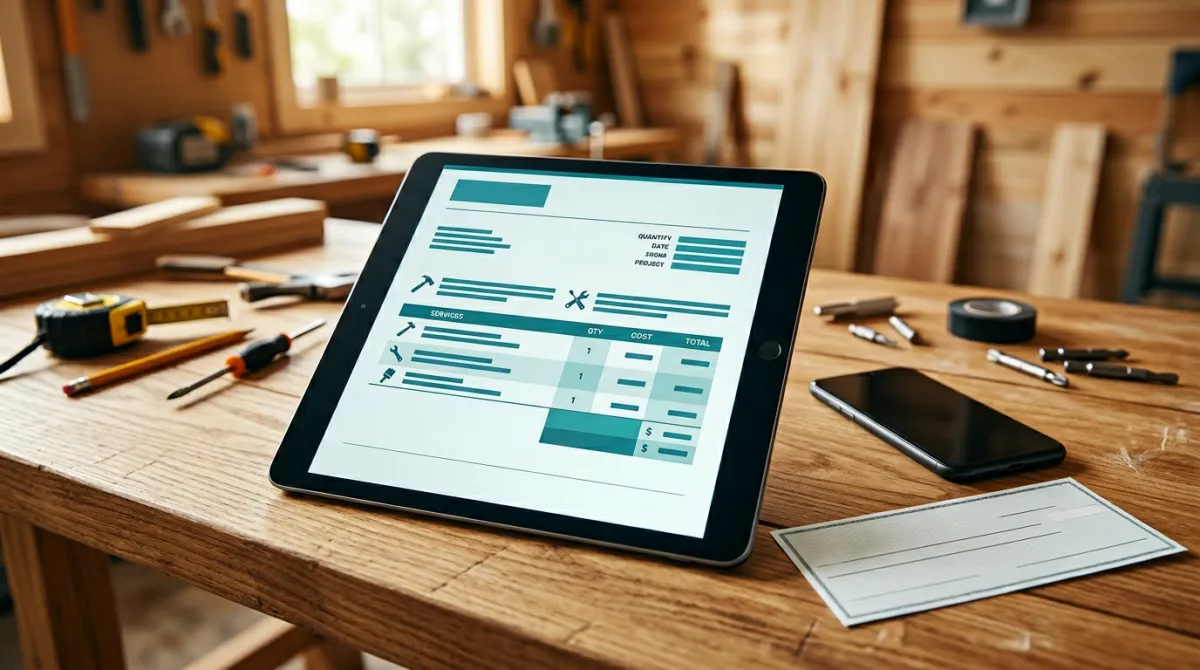
Invoicing Best Practices for Contractors
Getting paid should be the simplest part of running a contracting business. You did the work, you send the bill, the money shows up. But if you’ve been in the trades for more than a few months, you know that’s rarely how it goes.
Late payments, disputed charges, unclear terms, and clients who “forgot” are among the top cash flow killers for independent contractors. According to a QuickBooks survey, 64% of small businesses deal with late invoices, and the average small business has $84,000 in unpaid invoices at any given time.
The good news: most invoicing problems are preventable. A professional invoicing system doesn’t just get you paid faster — it makes you look more credible, reduces disputes, and gives you clear financial records for tax time.
Set Payment Expectations Before the Job Starts
The biggest invoicing mistake contractors make is waiting until the end of a project to discuss money. Payment terms should be crystal clear before work begins.
Your estimate or contract should include:
- Total project cost (or cost estimate range for T&M work)
- Deposit amount: 25–50% upfront for materials-heavy jobs is standard
- Progress payment schedule: for larger projects, tie payments to milestones (e.g., 25% at framing, 25% at rough-in, 25% at finish, 25% at walkthrough)
- Final payment terms: due upon completion, net-15, or net-30
- Accepted payment methods: check, credit card, bank transfer, etc.
- Late payment policy: a 1.5–2% monthly late fee is standard and legal in most states
When the client signs the estimate, they’re agreeing to these terms. This transforms “Can you pay me?” from an awkward conversation into an expected transaction.
What Every Invoice Should Include
A professional invoice isn’t just a number on a piece of paper. It’s a legal document that protects both you and your client. Include these elements:
Essential Invoice Fields
- Your business name, address, and contact info
- Client’s name and address
- Invoice number (sequential — INV-001, INV-002, etc.)
- Invoice date and due date
- Project name or description (e.g., “Master Bathroom Remodel — 123 Oak Street”)
- Itemized line items with descriptions, quantities, and amounts
- Materials listed separately from labor
- Subtotal, tax (if applicable), and total
- Payment terms and late fee policy
- Accepted payment methods with instructions
Why Itemized Invoices Matter
“Bathroom remodel — $12,000” invites questions and disputes. An itemized invoice that breaks down demo, plumbing rough-in, electrical, tile labor, tile materials, fixtures, and cleanup shows the client exactly what they’re paying for.
Itemized invoices also:
- Reduce client pushback by showing the value of each component
- Make change orders easier to add and justify
- Provide detailed records for your taxes (see our contractor tax deductions guide)
- Protect you in the rare event of a legal dispute
Choose the Right Invoicing Tools
The era of handwritten invoices is over. Digital invoicing is faster, more professional, and gives you tracking capabilities that paper never could.
Popular invoicing tools for contractors:
| Tool | Best For | Price Range |
|---|---|---|
| QuickBooks Self-Employed | Solo contractors | Low monthly fee |
| FreshBooks | Small crews, time tracking | Low monthly fee |
| Wave | Budget-conscious (free invoicing) | Free |
| Jobber | Field service management + invoicing | Mid-range monthly fee |
| Housecall Pro | All-in-one scheduling + invoicing | Mid-range monthly fee |
| Invoice Ninja | Open-source, customizable | Free tier available |
What to look for:
- Professional invoice templates with your branding
- Automatic payment reminders
- Online payment acceptance (credit card, ACH)
- Expense tracking and tax categorization
- Mobile app for invoicing from the field
The cost of invoicing software is a tax-deductible business expense, and it typically pays for itself by reducing the time you spend on billing and accelerating your payment collection.
Invoice Timing: When to Send
Timing matters. Here are the key moments:
Deposit Invoice
Send immediately when the client accepts your estimate. Collect the deposit before you order materials or schedule the job. This protects you from cancellations and no-shows.
Progress Invoices
For projects lasting more than a week, invoice at milestones:
- After completing a defined phase (demo complete, rough-in complete, etc.)
- Weekly, for time-and-materials jobs
- When materials costs exceed the deposit amount
Don’t let the balance get too large. The bigger the outstanding amount, the harder it is for the client to pay — and the more it hurts if they don’t.
Final Invoice
Send the final invoice on the same day you complete the walkthrough. The closer the invoice is to the moment the client sees and approves the finished work, the faster they pay. Sending the invoice a week later lets the excitement fade and the checkbook close.
Recurring Service Invoices
For maintenance contracts or recurring cleaning/landscaping clients, set up automated recurring invoices. Most invoicing software handles this natively. Auto-billing (where payment is charged automatically) is even better for recurring services.
Get Paid Faster: Practical Strategies
Offer Multiple Payment Methods
The easier you make it to pay, the faster people pay. Accept:
- Credit and debit cards (yes, the processing fee is worth the faster payment)
- ACH bank transfers (lower fees than credit cards)
- Digital wallets (Apple Pay, Google Pay through Square or Stripe)
- Checks (for clients who prefer them, but expect slower processing)
Online payment links embedded in your invoice — where the client clicks a button and pays instantly — dramatically reduce the time between invoice and payment.
Automate Payment Reminders
Set up your invoicing software to send automatic reminders:
- 3 days before due date: “Friendly reminder — Invoice #INV-042 is due on [date].”
- On the due date: “Invoice #INV-042 is due today.”
- 3 days after due date: “Invoice #INV-042 is now past due. Please remit payment at your earliest convenience.”
- 14 days past due: More firm reminder including late fee notice.
Automated reminders remove the awkwardness of chasing payments. The software does the uncomfortable work for you.
Offer an Early Payment Discount
A 2–3% discount for payment within 10 days (noted as “2/10 net 30” on the invoice) motivates faster payment. On a $5,000 job, that’s $100–$150 you “lose” — but you gain 20 days of cash flow and eliminate the risk and hassle of chasing the payment.
For many contractors, especially those managing multiple projects, the cash flow improvement is worth far more than the discount amount.
Handling Late Payments
Despite your best efforts, some payments will be late. Have a systematic approach:
30 Days Late
- Send a firm but professional email referencing the original payment terms
- Call the client directly — sometimes invoices genuinely get lost or overlooked
- Apply the late fee as stated in your contract
60 Days Late
- Send a formal demand letter via email and certified mail
- Stop all ongoing work for this client until payment is current
- Consider offering a payment plan for large outstanding balances — getting paid in installments is better than not getting paid at all
90+ Days Late
- Consult with an attorney about your options
- Consider small claims court for amounts within your state’s limit
- As a last resort, consider a collections agency (they typically take 25–50% but recover something)
Prevention is better than collection. The deposit + progress payment + immediate final invoice system described above minimizes the risk of large outstanding balances.
Tax and Record-Keeping Benefits
A good invoicing system doubles as your financial record-keeping system:
- Every invoice is a revenue record for tax purposes
- Itemized invoices help categorize income by service type
- Payment tracking shows you exactly what’s outstanding and what’s collected
- Annual summaries make tax preparation faster and cheaper
When tax season arrives, having 12 months of clean, organized invoices saves you hours of work and hundreds of dollars in accounting fees. For the full picture on contractor taxes, check out our tax deductions guide.
Invoice Templates: Keep It Professional
Your invoice is a reflection of your business. It should look as professional as your work. Key design elements:
- Your logo at the top
- Clean, organized layout with clear sections
- Consistent numbering that’s easy to reference
- Your brand colors for a polished look
- Clear call-to-action: a prominent “Pay Now” button for online payment
Most invoicing software includes professional templates you can customize with your branding in minutes.
Build a Business That Gets Paid on Time
Invoicing isn’t glamorous, but it’s the infrastructure that keeps your business alive. The contractors who thrive are the ones who treat invoicing as a system — not an afterthought.
Set clear terms upfront. Send professional, itemized invoices promptly. Offer easy payment methods. Automate reminders. Follow up consistently.
When your invoicing runs smoothly, you spend less time chasing money and more time doing the work you love — and growing your business on platforms that respect your earnings.
Try House Escort free for 1 month — keep 100% of your earnings → houseescort.com/provider
Frequently Asked Questions
How much should I charge as a deposit before starting work?
Industry standard for contractors is 25–50% of the total project cost. For materials-heavy jobs (countertops, custom cabinets, large equipment), a higher deposit is justified to cover your upfront costs. For smaller service calls, you may not need a deposit at all — just collect payment upon completion.
What’s the best way to handle a client who disputes an invoice?
Stay professional and refer to the signed estimate. Walk through each line item and explain the work performed. If the dispute involves change orders, this is why written change order approvals are essential. Most disputes stem from unclear scope — which is why detailed estimates and itemized invoices prevent problems before they start.
Should I charge credit card processing fees to clients?
Legally, this varies by state. Some states allow surcharges for credit card payments, others don’t. An alternative is to set your prices to absorb processing fees (typically 2.5–3.5%) or offer a cash/ACH discount. The speed and convenience of card payments usually outweighs the processing cost.
How do I transition from paper invoices to digital?
Start with a free tool like Wave or Invoice Ninja. Import your client list, create an invoice template with your branding, and send your next invoice digitally. Most clients prefer digital invoices because they can pay online immediately. The transition usually takes one billing cycle.
What records should I keep and for how long?
Keep copies of all invoices, estimates, contracts, receipts, and payment records for at least three years (the IRS audit window for most returns). For claims related to property improvements, keep records for seven years. Cloud-based invoicing software automatically archives everything for you.